

Business Process for Creating Internal Awards
Authorized users (as determined by the Planning Units) will setup all new internal awards as well as close out projects and awards in the Grants Module using the following process.
Definitions
Project – A project can represent a person or a scope of work. A project can have a single task or, if necessary, multiple tasks. The project org is for reporting purposes only.
Task – Tasks represent the work breakdown structure of the project. The task structure can vary from project to project depending on the nature of the project. Tasks have unique date ranges. The task org autoaccounts to the GL org segment value. The task service type autoaccounts to the GL activity segment value. See Appendix D for more information on autoaccounting.
Award – An award is an allocation of funding that funds a task(s) on one or more projects. The award org is for reporting purposes only. The award purpose autoaccounts to the GL function segment value. The award type autoaccounts to the GL source segment value. See Appendix D for more information on autoaccounting.
Installment – An installment is an allotment of funding on the award that can be, if necessary,
increased or decreased over time. A single award can have a single installment or, if necessary, multiple installments. The installment controls the amount of money that can be funded to project task(s). It also controls the amount of money that can be transferred in the GL to fund the award. Installments may be future dated. See Appendix C for more information on dates.
Grants Module Navigation
- See the Oracle Financials.
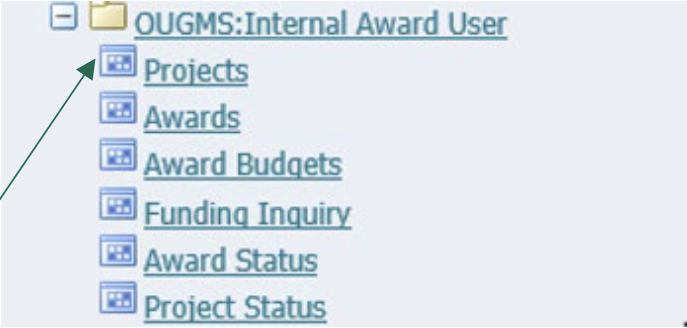
Select OUGMS Internal Award User from the Main Menu. This opens the menu.
Select Projects for Project setup. This is the first step in setting up a Project, Task and Award.
*Attention: Please use all caps when entering information in the system.