
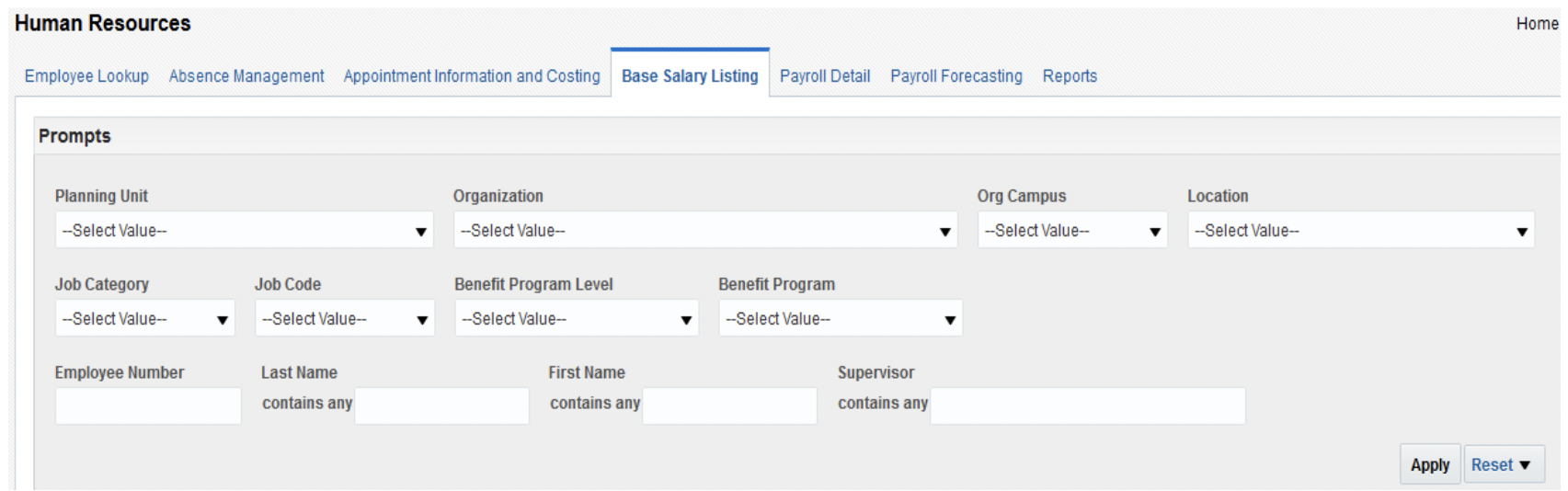
Base Salary Listing Dashboard
The Base Salary Listing dashboard page is located on the Human Resources dashboard in OBI. Use this dashboard to find Position Numbers (PN), verify the base salary of an employee, look up Faculty Rank, and to locate information needed to complete budget sheets, salary change worksheets, and appointment forms.
This dashboard should not be used to locate an employee’s Institutional Base Salary (IBS) since it contains only the regular salary/hourly rate. Use the Payroll Detail or Appointment Information and Costing dashboards if you need to view IBS data.
Dashboard Prompts
Multiple prompt options are available on this dashboard. Please select at least one prompt to limit the report by specific criteria as appropriate. Click apply once prompt(s) are selected.
Prompt Definitions
| Term | Definition |
|---|---|
| HR Organization/Planning Unit/Org Campus/Location | The planning unit, organization, campus, or location where an employee is assigned. |
| Job Category | The classification of employees based on job duties within the institution (i.e. Administrators, Classified, Faculty, Program Employment, or Research) |
| Job Code | The job name on the employee’s HR assignment record based on tasks, duties and responsibilities. |
| Benefit Program Level | Determines the level of benefits an employee is entitled to (i.e. Full, GF Full, ACA Qualifier, PTO, Retiree, None). |
| Benefit Program | Determines the type of employee (i.e. AFSCME, Admin Hourly, Class NBU, Executive, FOP, Faculty or Other Appt). |
| Employee Number/Last Name/First Name | If you would like to search for a specific employee, enter the employee’s six-digit employee number, or their last name/first name. |
| Supervisor | If you would like to search for a list of employees who report to a specific supervisor, enter the supervisor’s last name. |
Criteria
The following employee salary data is included in this dashboard:
- Regular salary/hourly rate only. Additional compensation such as overloads, additional pay, overtime, early retiree pay, etc. are not included. Use the Payroll Detail or Appointment Information and Costing dashboards if you need to view IBS or total pay for an employee.
- All faculty and staff are included. Student employees are not included.
Dashboard Columns
Default Columns
The following columns are displayed on the dashboard:
- Position Number, PID Number, Original Hire Date, Latest Hire Date, Employment Category, Job Category, Job Name, Job Entry Date, Title, Academic Title, Faculty Rank, Dept Entry Date, Annual FTE, Work Frequency Hours, Salary/Hourly Wages, Annualized Salary, Grade Name, Supervisor Email Address
Additional Columns
The following additional columns will be included if you export the data to a CSV file:
- Tenure Status, OU Service Years, OU Continuous Service Years, Job Family, Job Code, Organization, Work Department, Mid Salary, Max Salary, Min Salary, Fall FTE, Spring FTE, Summer 1 FTE, Summer 2 FTE