
Documents that need to be submitted to the Office of the Bursar can be uploaded using the Bursar Secure Upload Portal.
Secure Upload Portal Troubleshooting
What browsers are supported?
Chrome, Internet Explorer, and Firefox are supported.
How can I tell if the document was uploaded sucessfully?
After uploading a document, choose submit and you will be directed to a confirmation web page. You will also receive an email confirmation.
Can parents or authorized users upload documents?
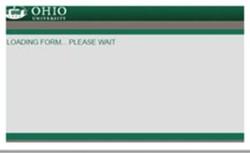
No, students must log on using their OHIO credentials. If you do not have access the following will appear and the upload form will not open:
What document types can be uploaded?
Allowable file types are .pdf, .jpg, .jpeg, .png, .gif, .bmp, .tif, .tiff
Can I use my phone to upload documents?
The Secure Upload Portal is compatible with mobile devices. However, you will not be able to upload pictures from your cell phone.
What if I continue to receive errors messages?
The browser, device, or document may be incompatible with the Portal. Try using a different browser or device to submit the information. You can also try saving the document in a different format. If you continue to have issues, documents can be submitted with your PID number via fax (740-593-0767) or by mail to: Office of the Bursar, Chubb Hall 010, 1 Ohio University Drive, Athens, OH 45701.
Documents can be submitted during office hours in our office at 010 Chubb Hall at the Bursar Service Window.
Documents can be placed in the drop box located inside the south entrance doors on the ground floor of Chubb Hall (Court Street side of the building). Please be sure to include your PID number with the documents.