Account Itemization
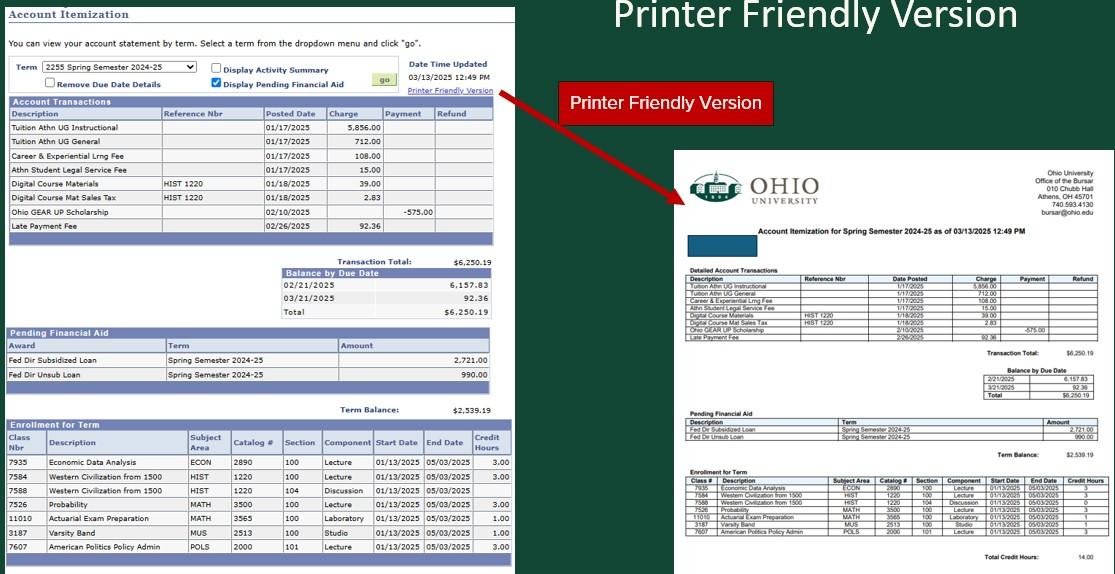
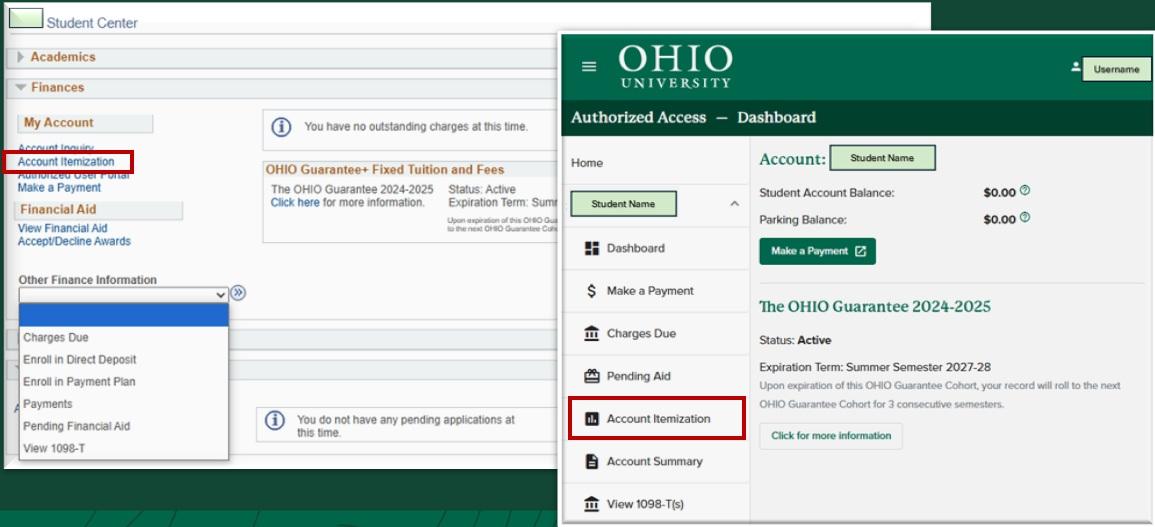
Account Itemization, located within the Finances section of the MyOHIO Student Center, provides an inclusive view of charges, payments, financial aid, and enrollment for a specified semester. By selecting the "printer friendly version" of Account Itemization, financial and enrollment information can be displayed on Ohio University letterhead. Account Itemization is also available on the Authorized Users Portal.
Account Itemization Location
The Account Itemization option is located on MyOHIO Student Center in the Finances Section. It is also available in the Authorized User Portal.
Account Itemization Options
| Option | Description |
|---|---|
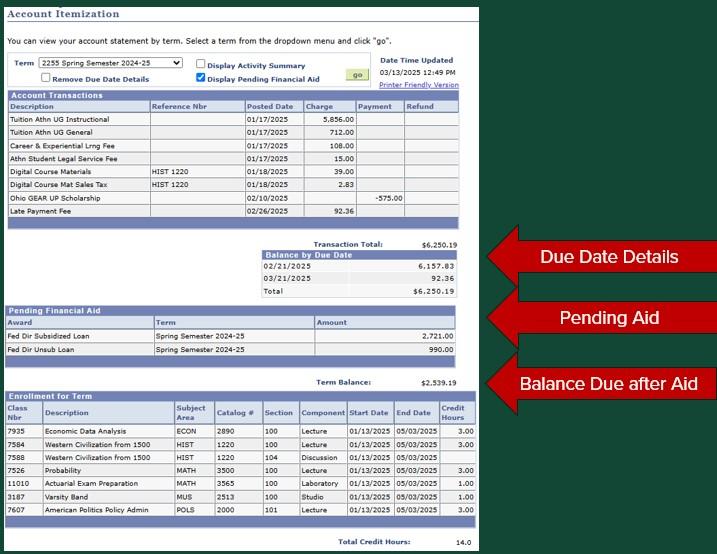
| Term (dropdown box) | Displays the account transactions for the selected semester. If there are unapplied personal payments or deposits, the transactions can be displayed by choosing the "Non Term Transactions" option. |
| Display Activity Summary | This option will summarize transactions for the term by description. |
| Display Pending Financial Aid | Displays aid that is pending but has not been disbursed yet. This option will only appear if there is pending financial aid for the selected semester. (Financial aid begins disbursement the week before a semester begins. Requirements for aid must be met before aid is disbursed. Please refer to View Financial Aid on your MyOHIO Student Center to review details. Please visit Student Financial Aid & Scholarships for additional information.) |
| Balance Due Date Details | If there is a balance due the amount due and due date will show on the itemization. This option will only appear if there is a balance due for the semester. |
Once options are selected, select the 'go' button
Account Itemization – Printer Friendly Version
By selecting the Printer Friendly Version, the account itemization can be downloaded and saved as a PDF file.