
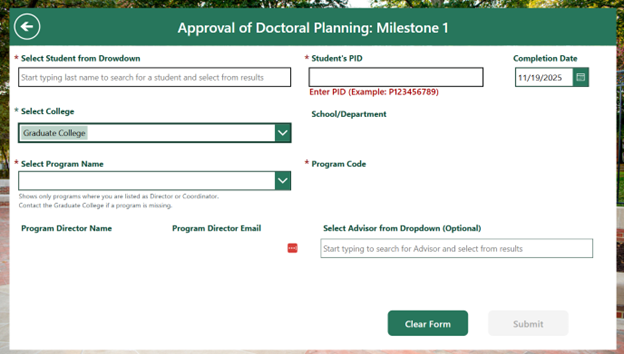
Milestone One: Approval of Doctoral Planning Form
Purpose:
Records approval of a student’s doctoral planning form.
How to complete:
- Select student
- After selecting a student, the “See Milestones Completed” button will appear, allowing you to view all milestones completed by the selected student.
- College is auto populated by role (Can change if needed)
- Select program (Programs are filtered by role)
- Enter PID
- Choose completion date
- Select Advisor (Optional)
- Submit
Approvals:
No approvals required, milestone posts immediately.
Email Notifications Upon Submission:
- Student
- CC: Program Coordinator (if applicable)
- CC: Program Director/Grad Chair