Set Up eduroam
Set It and Forget It
Once configured correctly, eduroam should connect automatically without requiring daily setup.
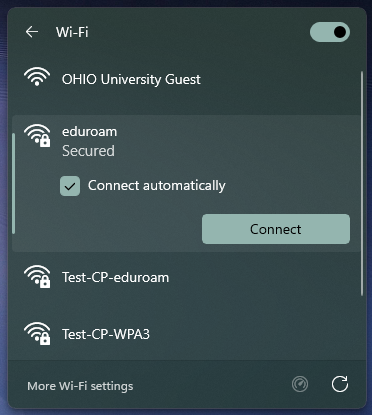
Select the eduroam network.
Make sure Connect automatically is checked.
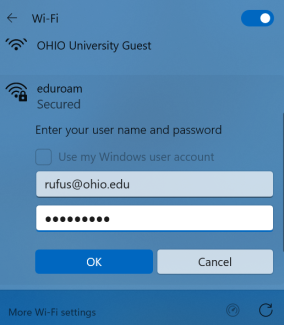
Enter your full OHIO email address and password.
Sign in with your full OHIO address including @ohio.edu — for example, rufus@ohio.edu — and your OHIO password.
Using a Mac, iPhone, iPad, Android device or Chromebook?
- The steps above show Windows.
- On Android, install the eduroam CAT app from Google Play or the Amazon Appstore before setting up eduroam. It configures everything for you.
- For step-by-step instructions for every device, see the Technology Help Center.
Got a TV, game console or printer?
Register a device