HS How to Guide 001: How to Navigate the Hazard Safety (IBC) Module in Cayuse
How to Guide 001: How to Navigate the Hazard Safety (IBC) Module in Cayuse
Purpose of the Guide
The purpose of this guide is to provide an overview of the Hazard Safety module in Cayuse.
Scope/Audience
Investigators, Principal Investigators (PI's), and PI Groups
Getting Started
Step 1: Log into the Cayuse system
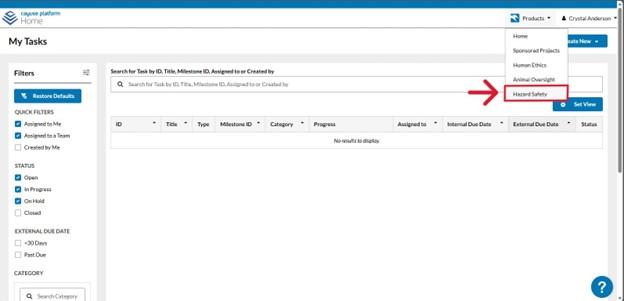
Step 2: Navigate to the Hazard Safety module- While on your Home page, select “Hazard Safety” from the “Products” drop-down menu.
Dashboard Overview
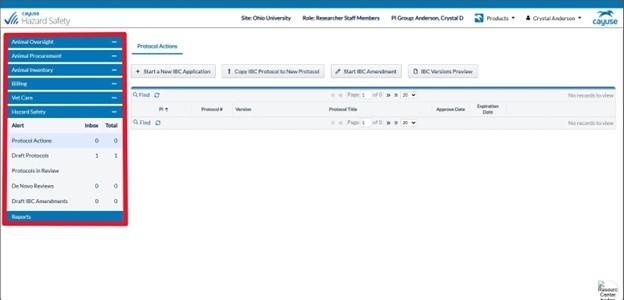
Welcome to your main dashboard! This dashboard provides a comprehensive array of information, allowing you to review previously approved protocols, track the progress of new protocols, and monitor critical due dates, including protocol expiration dates and the due dates for reviews.
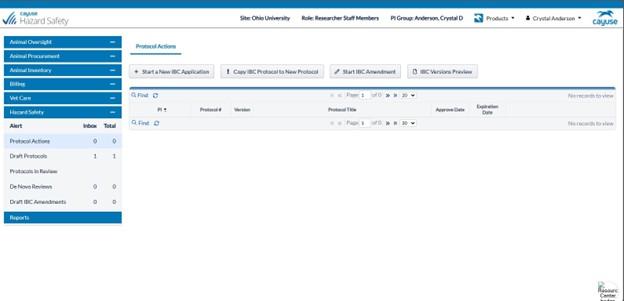
Hazard Safety Dashboard Column
You can click on any row in your dashboard column to view your submission activity.