
Submitting a Study Renewal in Cayuse Human Ethics
Certain human subjects research studies require continuing review. This includes all studies reviewed by the full board, and some expedited studies at the IRB's discretion, such as those enrolling minors or other vulnerable populations.
These studies will have an expiration date rather than an admin check-in date in Cayuse. You will see this both in the original approval letter as well as on the "Study Details" page in Cayuse Human Ethics. It is the Principal Investigator's responsibility to be aware of expiration dates and submit a Renewal in Cayuse with sufficient time to allow review and approval before the expiration date. For full board studies, be aware of submission deadlines and meeting dates relative to your expiration date.
The steps below will guide you through creating and submitting a Renewal submission in Cayuse Human Ethics.
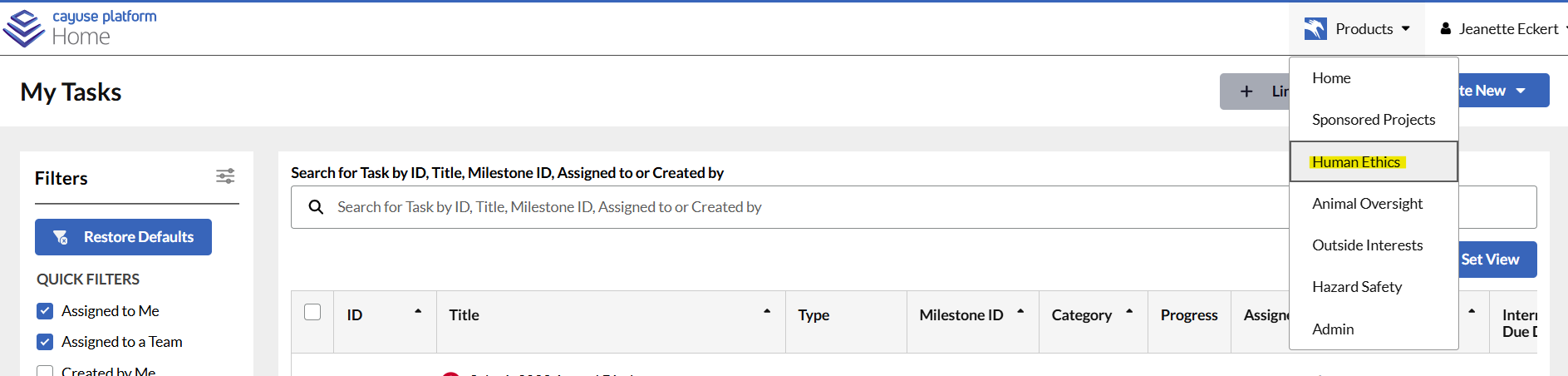
Login to Cayuse: https://ohio.app.cayuse.com and navigate to Human Ethics using the "Products" drop down menu.
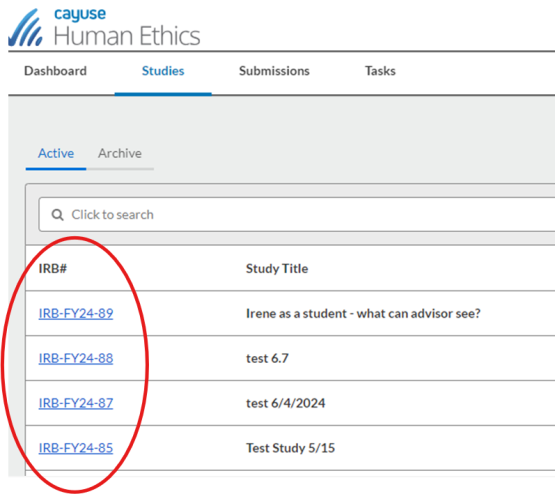
On your dashboard in the Human Ethics module, select the blue hyperlink of the study you wish to modify. There are a few ways to see your studies, including clicking on the "Studies" tab.
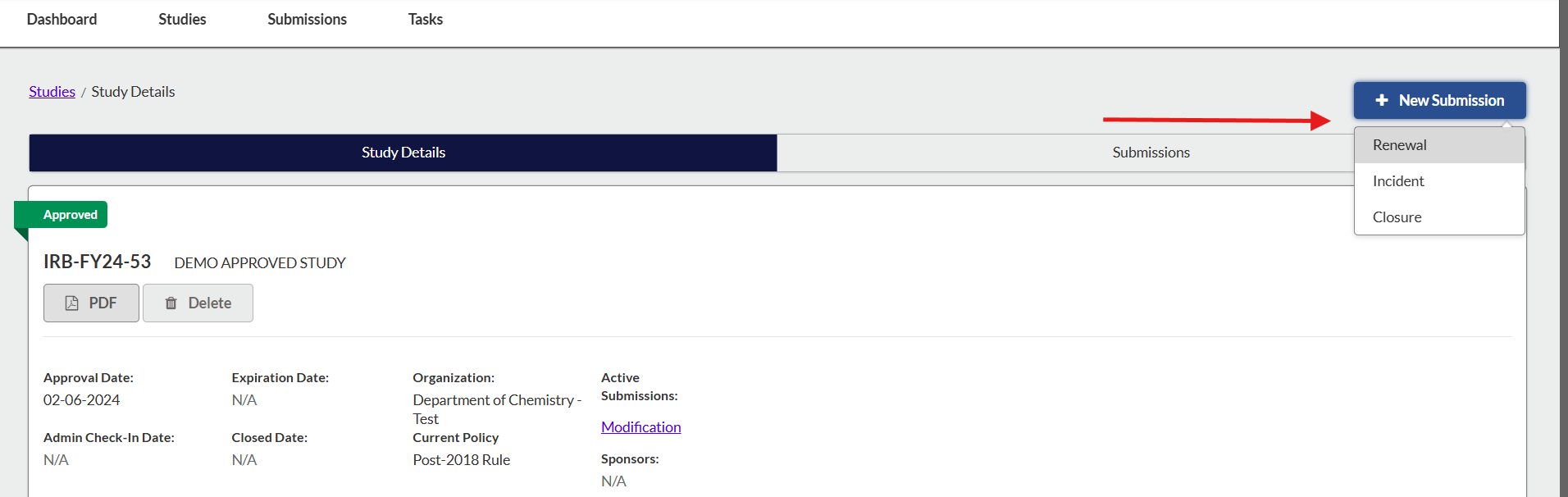
Once on the "Study Details" page of the study you need to renew, select "New Submission" in the top right corner and pick "Renewal."
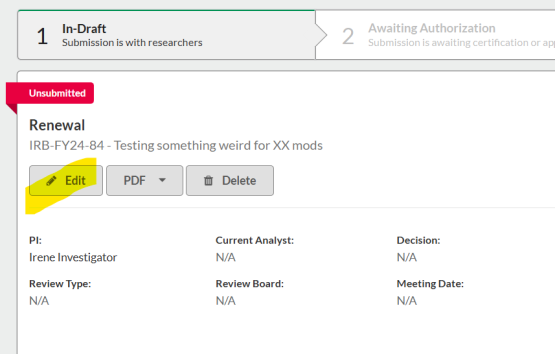
On the "Submission Details" page, click on "edit" to begin editing the Renewal form.
As with the Initial submission form, answer the questions in the Renewal form, click "Complete Submission" at the bottom left, and make sure all necessary study team members Certify the submission.
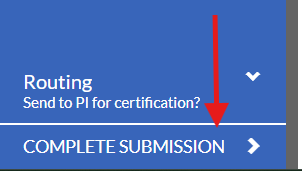
Submit the form using the "Complete Submission" button at the very bottom of the blue menu - if you don't see "Complete Submission as an option, review the blue menu to see which section is missing a white check mark and address the incomplete questions. Sometimes, changing the answer to a question as part of a modification may unlock new questions that need to be answered.
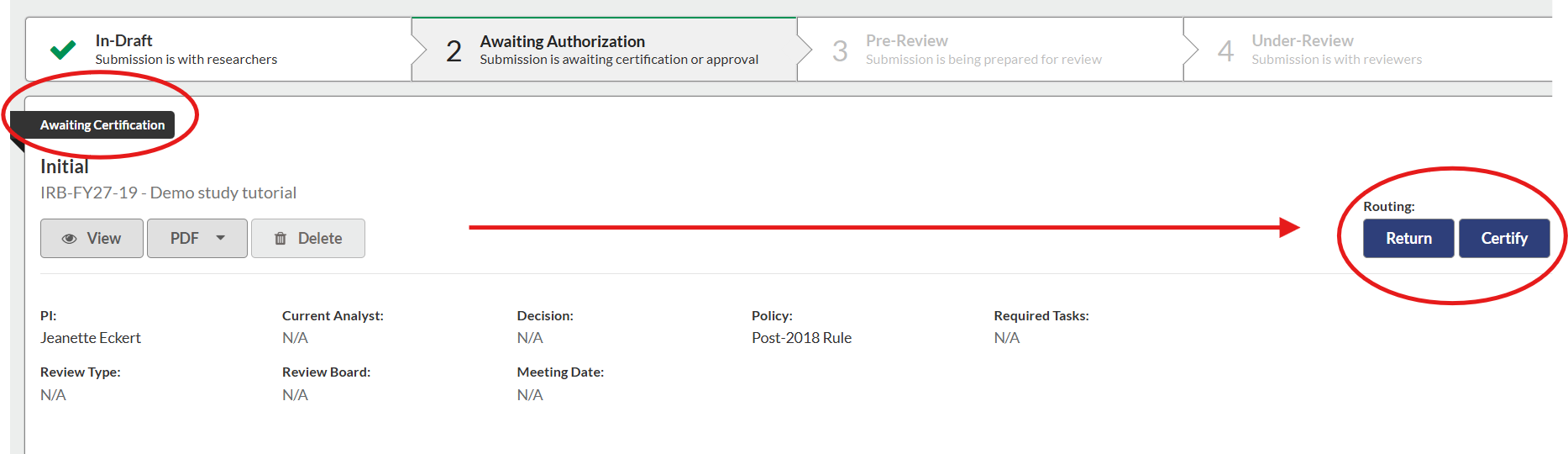
The submission will remain in "Awaiting Authorization" status until all certifications are complete. It is the responsibility of the PI and/or Primary Contact to ensure all study team members certify by checking in on the submission status and communicating with their study team. Once all certifications are complete, the submission will move into a status of "Pre-Review." This is the stage at which it is fully submitted to ORC.