Submitting a New Study for Review in Cayuse Human Ethics
The Initial submission form in Cayuse Human Ethics is used to submit human subjects research studies for review. It can also be used to request a "not research with human subjects" determination or to request IRB Reliance (also known as a deferral). The steps on this page will guide you through how to create and submit an Initial submission.
Navigate to the Cayuse website at https://ohio.app.cayuse.com and log in with your Ohio University credentials. (Students - if you get an error trying to log in, you most likely have not yet requested the creation of a Cayuse account, which you can do by submitting this form.)
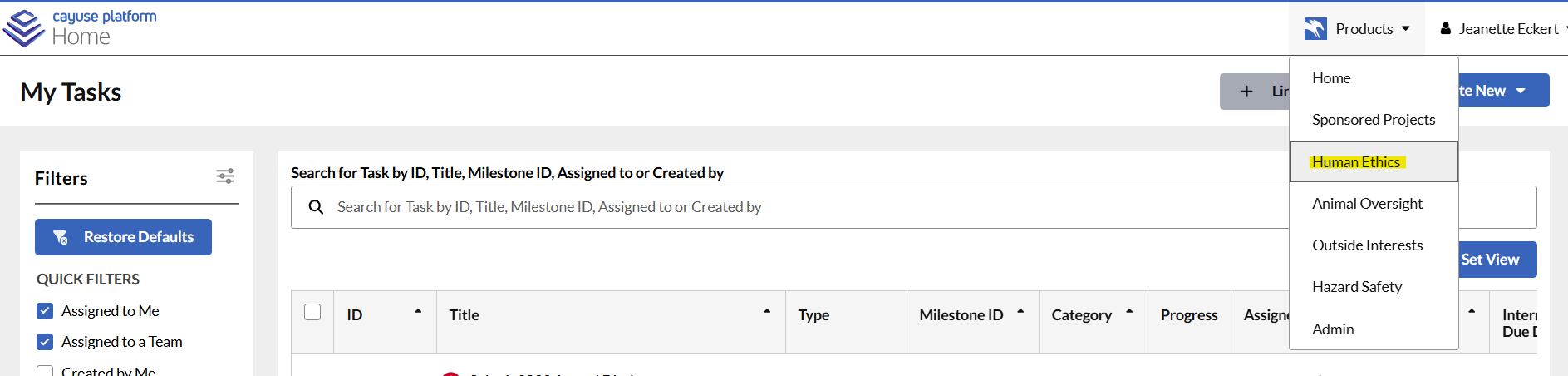
On the Cayuse home page, click the "Products" drop down menu on the upper right of the screen and select "Human Ethics." (Note, tasks related to IRB protocols will only be viewable within the Human Ethics module, not on the "Home" page.)
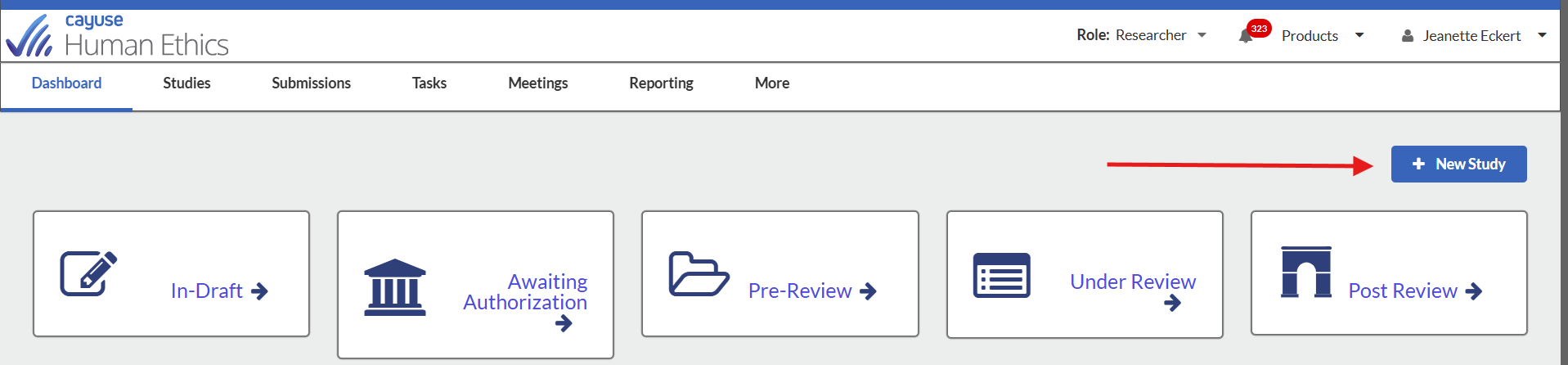
On the Human Ethics dashboard, click the blue "New Study" button on the upper right of the screen.
Enter the title of your study. This should be a short, descriptive title that represents the purpose of the research. Please do not use titles like "Joe's thesis project" or "pilot study." You can edit your title in the future if necessary. Click the blue check mark when you are done.
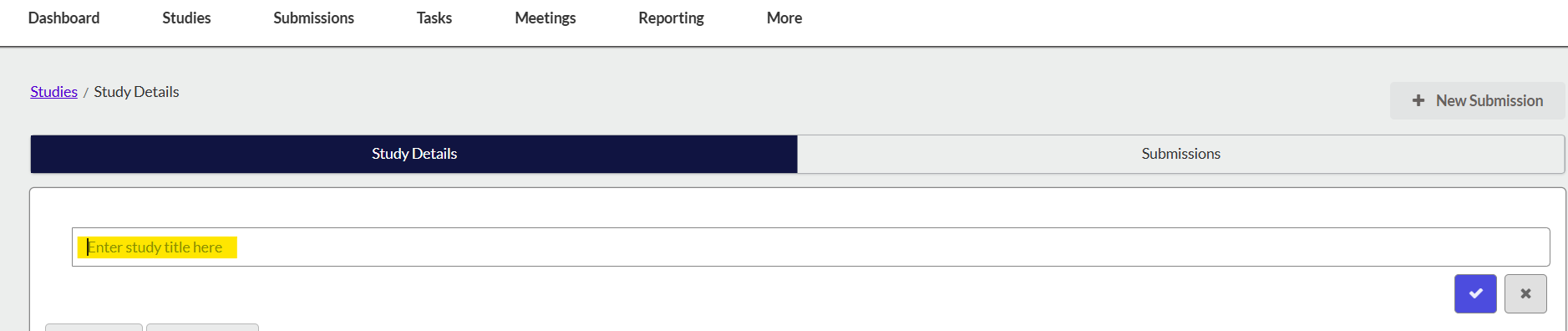
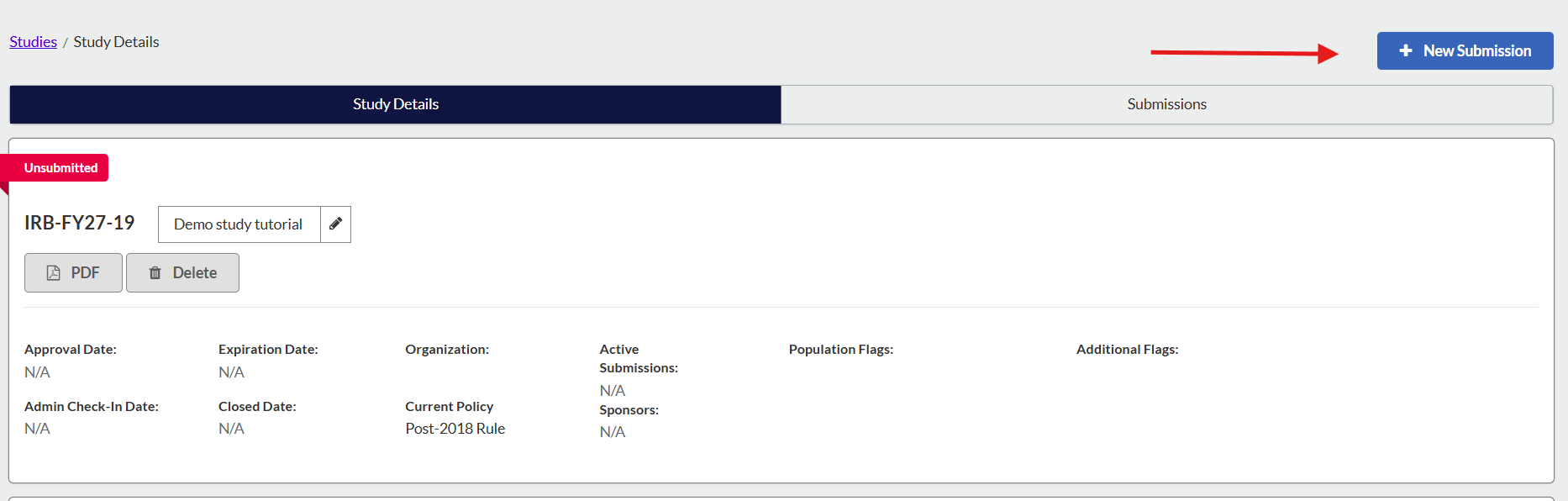
Once your study has a title, you can now begin your submission. Click the blue "New Submission" button on the upper right of the screen. Because you are creating a new study at this time, the only submission type option you will see is "Initial." Select "Initial."
To begin filling out the submission form, click "Edit."
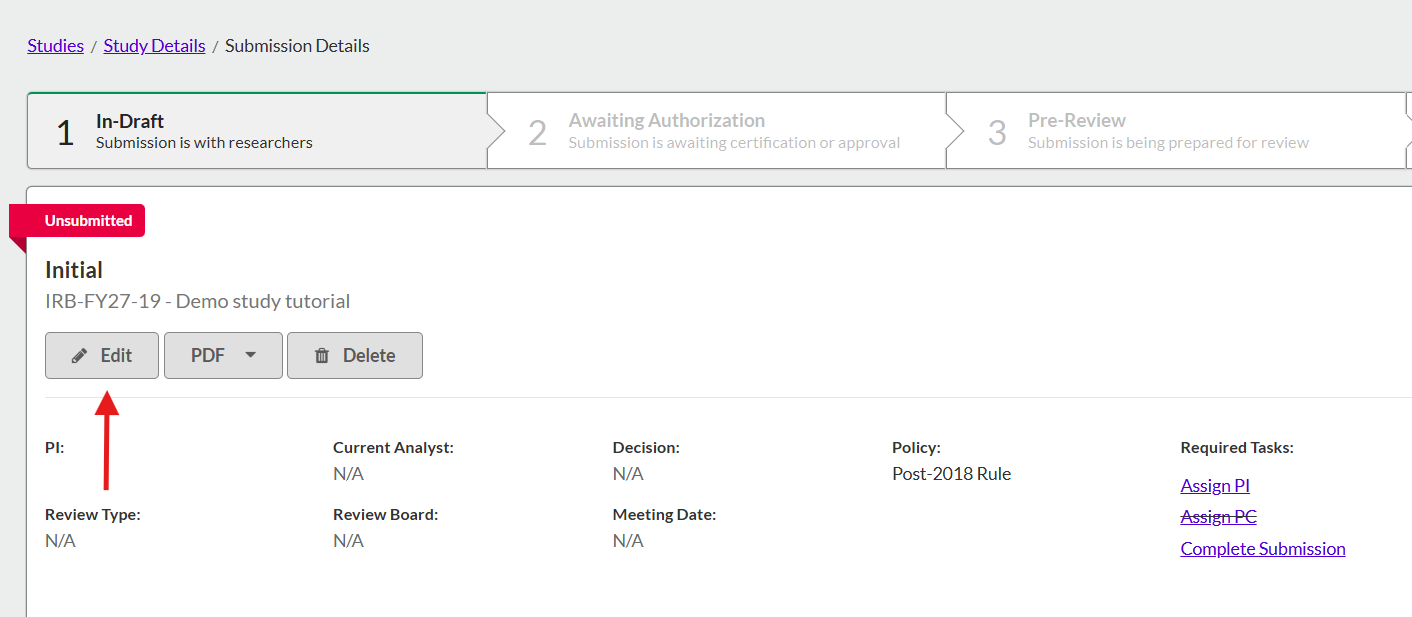
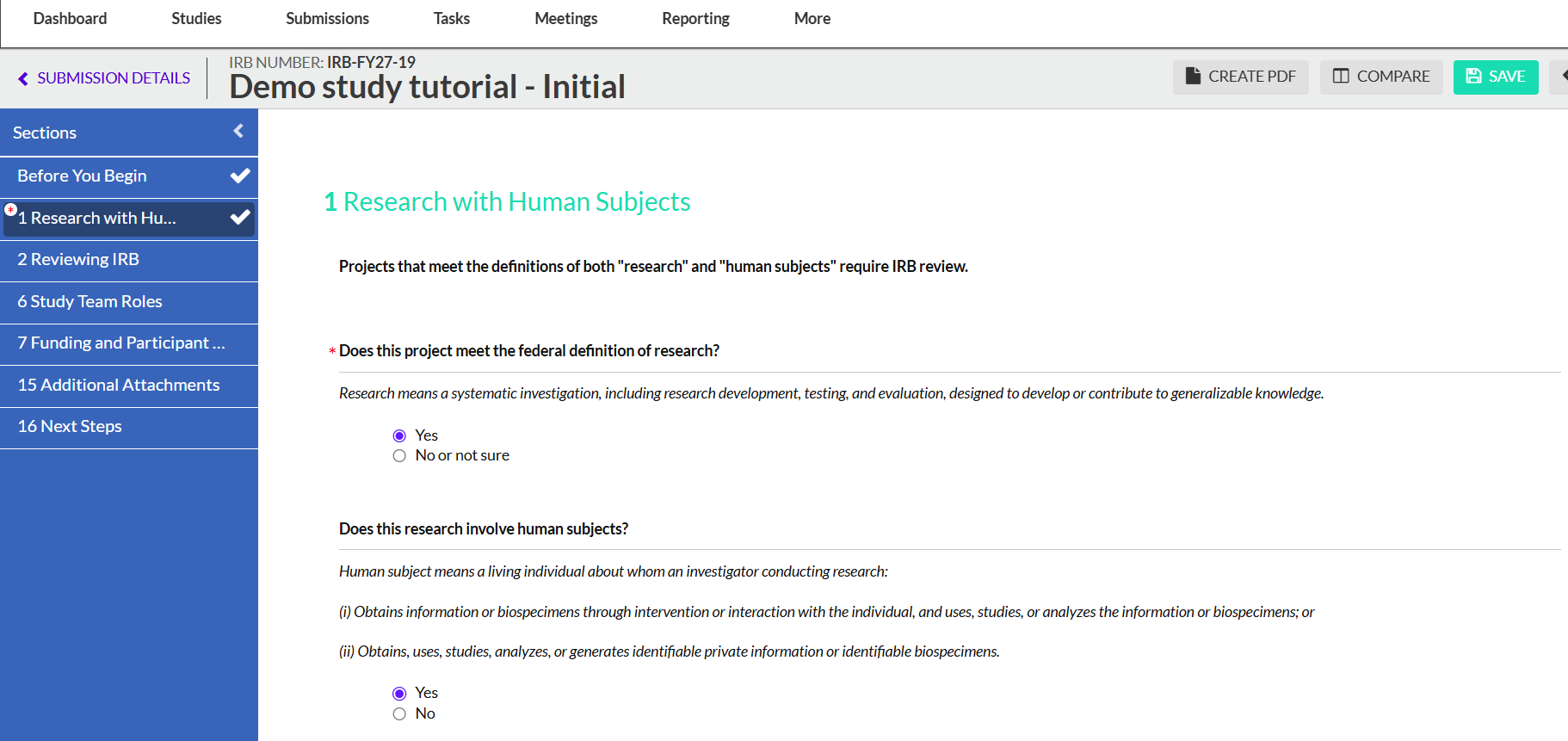
The Initial submission form is a smart form. Certain sections will appear or stay invisible based on your answers to particular questions. The next steps will highlight key sections of the form.
Only projects that meet both the federal regulatory definitions of "research" and "human subject" are required to be submitted for review. Section 1 includes these definitions and allows you to answer "yes" to move forward with review or answer "no" to request a determination from ORC that your project does not constitute research with human subjects. (Tip - if you answer "no" to one of the questions, be sure to include an explanation of why the project is not research or does not involve human subjects, using the regulatory definitions). For more information about projects that are not considered research with human subjects, see this guidance.
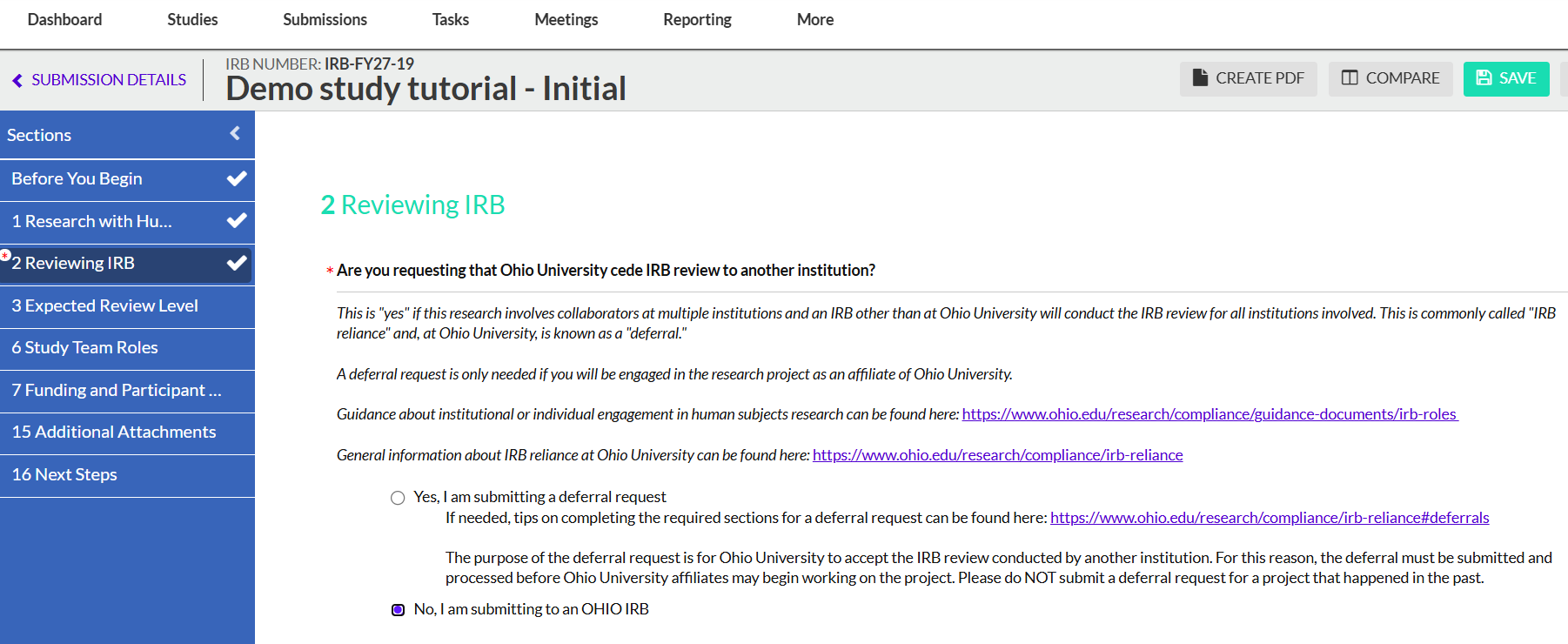
Section 2 allows you to request a deferral (also known as IRB reliance or Single IRB review). This is used to request that Ohio University rely on the review of another institution for collaborative projects. For more information about this topic, see our Guidance on IRB Reliance.
Section 3 determines the work flow for the rest of the form. If you select an expected review type of EXEMPT, the categories and relevant questions will appear in Section 4. Please be aware that if you proceed with an EXEMPT category and your study is determined to be ineligible for exemption, you will be asked to change the review type in Section 3 and your Section 4 answers will go away and new sections will appear. Please read the categories and questions carefully before submitting with an expected review type of EXEMPT. More information about how EXEMPT categories are handled at Ohio University is available on our website.
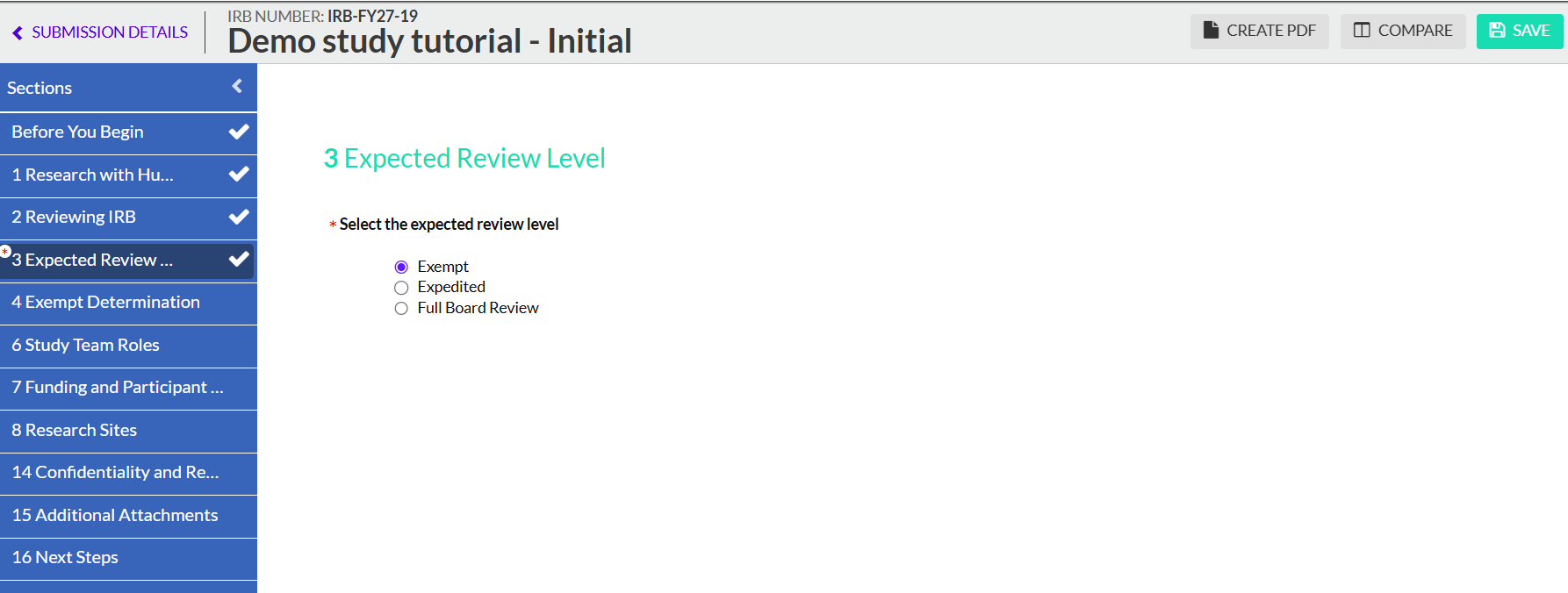
A note about review type: the categories used for determining if a submission is EXEMPT, EXPEDITED, or requires FULL BOARD review come from the federal regulations governing human subjects research. In order to be EXEMPT, all of the study procedures must fit into one or more exempt categories. (Be aware there are limitations on including minors in exempt categories). If the study is not eligible for EXEMPTION, then it may be eligible for EXPEDITED review if all procedures fit into one or more EXPEDITED categories. (In this instance, "expedited" does not necessarily mean "faster" review, it just means it can be reviewed by one or more IRB members rather than requiring review at a convened IRB meeting (e.g. full board review). Any study that cannot be EXEMPT or EXPEDITED based on procedures, or any study that is GREATER THAN MINIMAL RISK for participants, must be reviewed by the full IRB at a convened meeting. Each IRB meets once per month.
Sections 4 - 16: Which sections you need to complete will depend on your responses in previous sections, so do not be alarmed if all sections are not visible to you. Please read each question carefully, including the "help text" when applicable. This how-to guide does not provide detailed instructions on how to answer each question because these tips are contained within the form. Notice the "Save" button in the upper right of the screen.
Questions with a red asterisk are required and you will not be able to submit unless these are answered. However, you should provide a response to all questions - some questions are not marked as required only to allow some flexibility for uncommon scenarios.
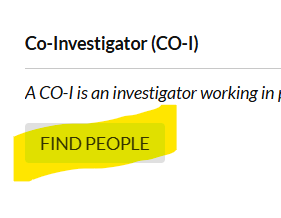
Section 6: Adding Study Personnel. There is help text here to guide you as far as study roles and adding people. To lookup a person to add to the study, click the "find people" button and type their name in the search field. You can verify whether study personnel have completed the necessary CITI training by clicking "view" in the "training" column to the right of their name.

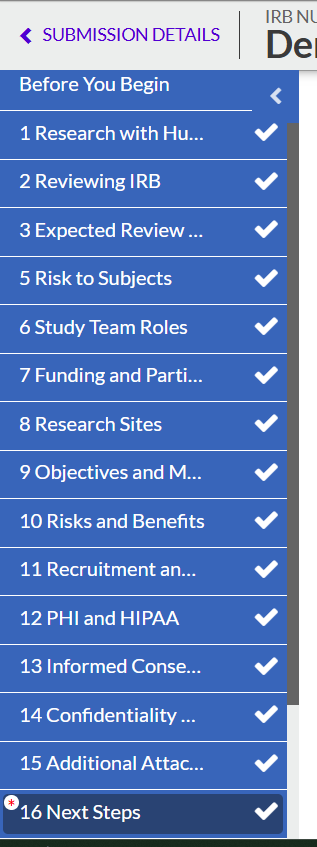
When you get to the end of the form, look at the blue menu on the left and ensure each section has a white checkmark. If any section is missing a white checkmark, this means there is at least one unanswered question that needs addressed before you can submit.
Section 16 prompts you to review your submission and make sure that your submission is complete, consistent, and contains all necessary attachments such as consent documents and recruitment flyers. It also includes an explanation of the submission and certification steps.
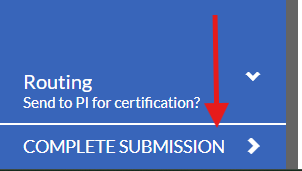
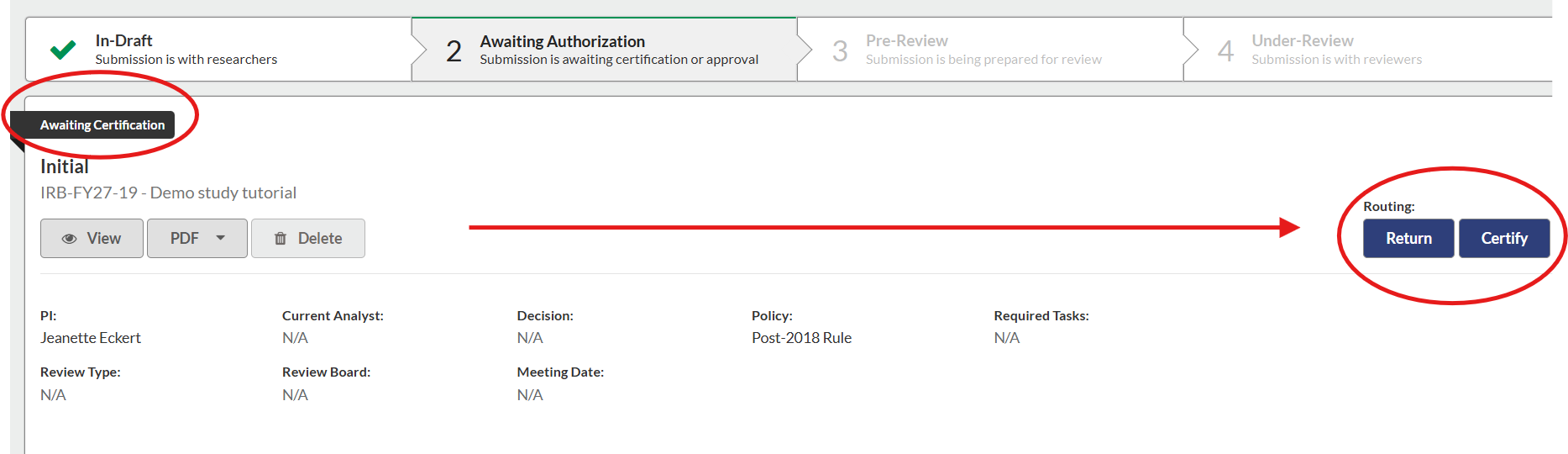
Remember to CERTIFY using the blue button on the submission details page - this step occurs after you submit the form using the "Complete Submission" button at the very bottom of the blue menu - if you don't see "Complete Submission as an option, review the blue menu to see which section is missing a white check mark and address the incomplete questions.
The submission is not received by the Office of Research Compliance until the PI, Co-Is, and the faculty advisor (if applicable) have certified. All study team members who are required to certify will receive an email from Cayuse.
The study will remain in "Awaiting Authorization" status until all certifications are complete. It is the responsibility of the PI and/or Primary Contact to ensure all study team members certify by checking in on the submission status and communicating with their study team. Once all certifications are complete, the submission will move into a status of "Pre-Review." This is the stage at which it is fully submitted to ORC.
Faculty advisors, or any collaborator, have the option to click "Return" instead of "Certify" if they notice the submission needs revision. This will send the form back to a stage that can be edited by the study team. Faculty advisors, or Principal Investigators who did not complete the form themselves, are expected to review the submission before certifying it.