Closing A Project, Task, or Award
Closing a Project
If a Faculty or Staff member with an internal award Project is no longer with the University, the Planning Unit will need to take the following steps to close out the Project:
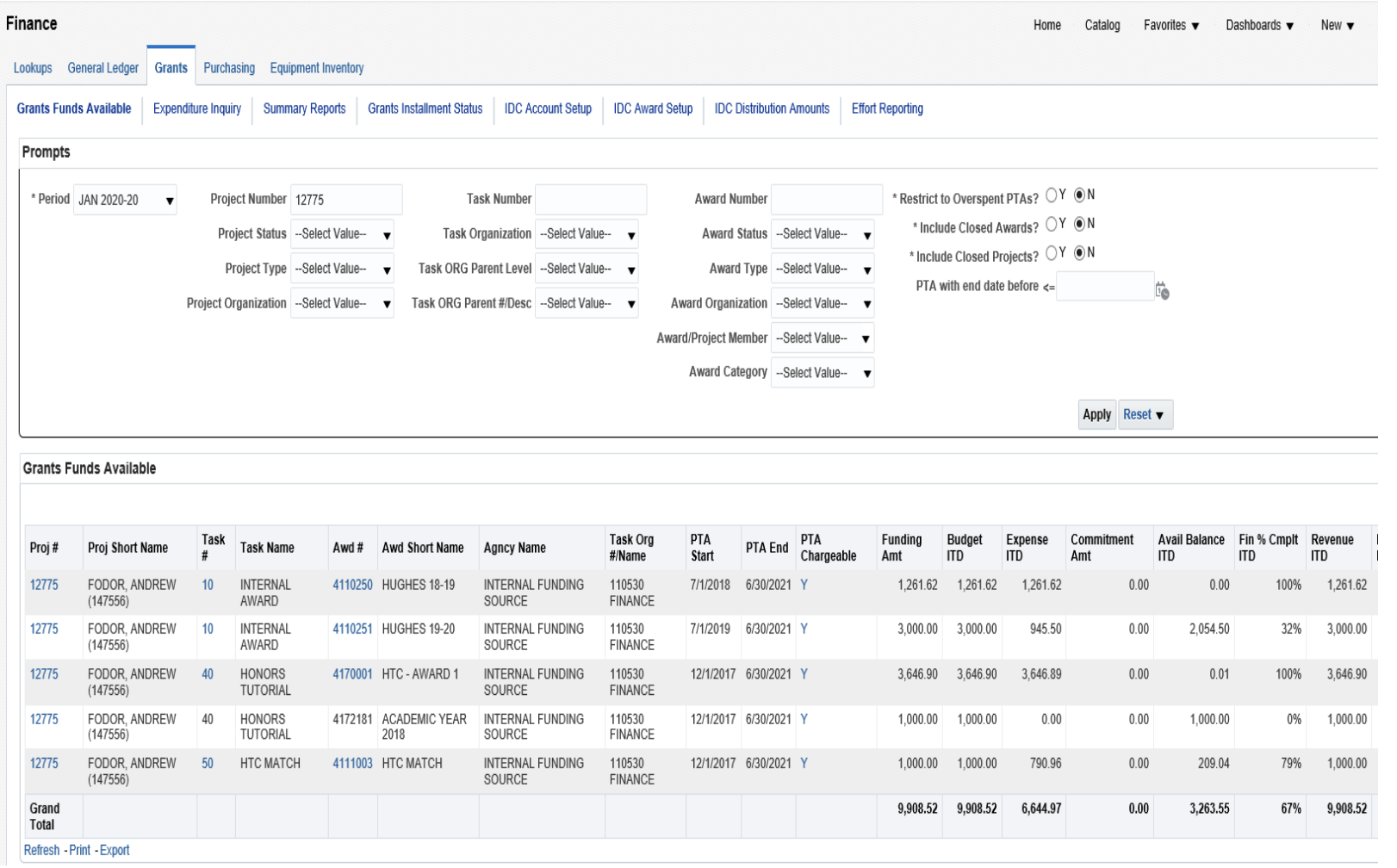
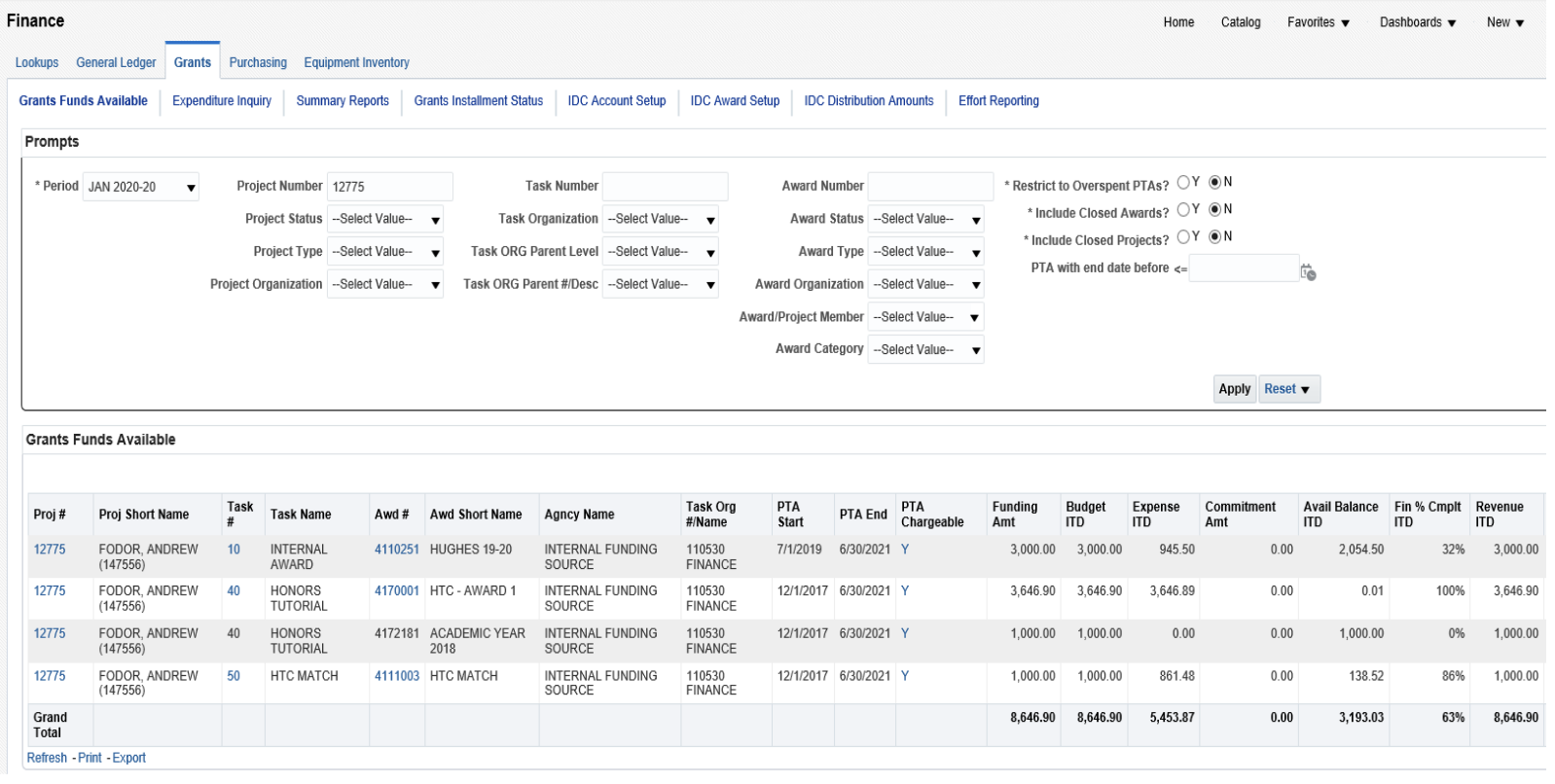
- Review OBI Grants Funds Available dashboard for the Project.
- If there is an Available Balance remaining you should notify the Award Administrator to decrease budget, create a negative revenue event, decrease funding and decrease installment by the Available Balance amount. See Appendix G for more information.
If Available Balance is negative, you will need to move expenditures off the Internal Award by completing a journal entry (using the JET Tool) or submitting a Payroll Expense Accounting correction form. See Appendix H for adjustments to research incentive awards.
a. Decrease expenditures to a non-RI Internal Award from a GL department account. Use expenditure object code 7xxxxx.
Example of an expenditure decrease to a non-RI account
b. Decrease expenditures to a non-RI Internal Award from another non-RI Award. Use expenditure object code 7xxxxx.
Example of an expenditure transfer between non-RI awards - Once Available Balance is zero for all tasks please notify finance@ohio.edu to close project.
Closing an Award
If an Award has reached its end date, the Award Manager will need to take the following steps to close out the Award:
- Review OBI Grants Funds Available dashboard for the Award.
- If there is an Available Balance remaining the Award Manager should decrease Budget, create a negative revenue event, decrease funding and decrease installment by the Available Balance amount. See Appendix G for more information.
- If Available Balance is negative the Award Manager should notify the Planning Unit to move expenditures off the Internal Award. See #3 under Closing a Project.
- Once Available Balance is zero for all Project-tasks, please notify finance@ohio.edu to close the Award.
Closing an award that has been completed will allow for a smaller set of results when requesting current awards attached to a project and choosing to not include closed awards.